

In a world where children use smartphones to attend online classes, watch YouTube videos, play games, chat with friends, and explore social media, digital privacy for kids is no longer optional parenting knowledge. It is an essential life skill.
Think about this for a moment. Your child may know how to download an app, create an account, share a photo, or join an online game. But do they know what could happen if they share their home address, school name, live location, password, or a personal photograph with the wrong person?
Many children don’t share information online because they intend to take a risk. They share it because it feels normal. Their friends are doing it, a game asks for it, or someone online promises them a reward.
And that’s where parents need to step in—not by frightening children or banning every digital device, but by teaching them how to make safer decisions.
For Indian families, this conversation is especially important as children increasingly use digital platforms for education, entertainment, communication, and social connection.
Whether your child is in Class 3 or preparing for their Class 10 board examinations, the goal is the same: help them enjoy the digital world without giving away more personal information than necessary.
In this guide, we’ll explore digital privacy for kids aged 8–16, what information is safe to share, what should remain private, how to handle online strangers and cyberbullying, and how parents can build healthy digital habits at home.
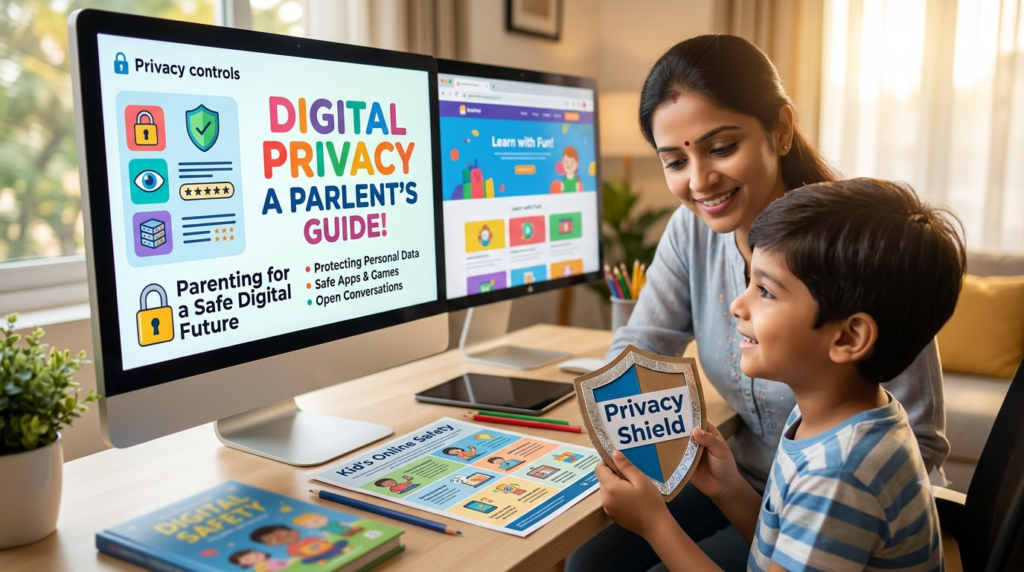
Digital privacy means having control over personal information and understanding who can see it, collect it, save it, or share it online.
For children, this includes much more than keeping a social media account private.
It covers the information they share while playing online games, joining school groups, downloading learning apps, chatting with friends, using AI tools, or uploading videos.
For example, when a child installs a new game, the app might ask for access to their camera, microphone, contacts, or location. Your child may simply tap “Allow” to start playing without thinking about why the app needs that information.
Digital privacy teaches children to pause and ask: “Does this app really need to know this about me?”
UNICEF recommends introducing privacy habits early, using age-appropriate explanations, reviewing device settings, and teaching children to protect personal details such as their phone number, birthday, address, and school name.
Children’s online experiences now include social media, online gaming, video platforms, digital classrooms, smart devices, and AI-powered services.
This creates new situations parents need to discuss:
India’s digital privacy framework has also developed. The Digital Personal Data Protection Act, 2023, and the DPDP Rules, 2025, provide a framework for protecting personal data, including safeguards relating to children’s data. The government has highlighted requirements concerning verifiable parental consent and restrictions on certain tracking, behavioural monitoring, and targeted advertising involving children, subject to the law’s provisions and applicable exemptions.
For parents, the practical lesson is simple: don’t rely only on apps and laws to protect your child. Teach your child how to protect themselves, too.
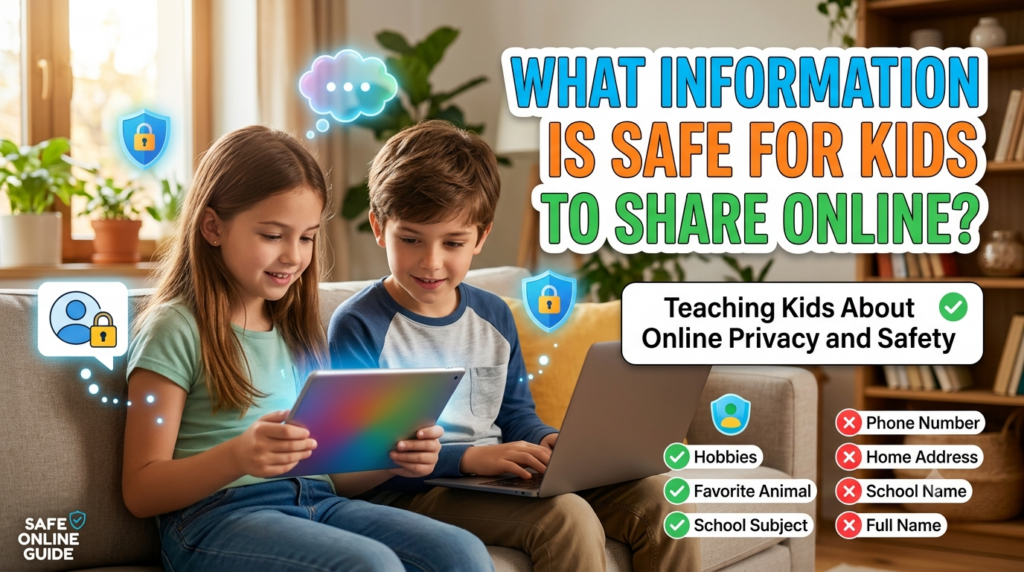
Not every online interaction is dangerous, and children should be able to learn, communicate, and express themselves. The goal is to help them distinguish ordinary sharing from sharing that could expose their identity, location, or private life.
Usually okay, with sensible boundaries
Keep private unless a trusted adult confirms it’s necessary
One important distinction: a child’s hobby may be harmless to share, but a post saying “I play football every day at 5 pm at this ground near my house” reveals a predictable routine and location.
Teach your child to consider the combination of details, not just whether each detail seems harmless on its own.
Explain to your child that passwords and one-time passwords are like keys to a house. They should not be shared with online friends, gaming partners, or anyone claiming to offer free rewards.
Even a friend they trust should not need their password.
Encourage unique passwords for important accounts and turn on two-factor authentication where available and age-appropriate.
Children should not post their home address, live location, school route, or daily schedule publicly.
Teach them to check location permissions on their phone and to share their location only when necessary with trusted family members through an agreed, secure method.
A photograph can reveal more than the person in it.
A school uniform may identify the school. A certificate may show a full name. A birthday post may reveal a date of birth. A photo taken outside the home may reveal a familiar landmark.
Before posting, encourage your child to ask:
Also teach children to ask permission before posting photographs of friends or forwarding someone else’s messages.
A person may use a familiar-looking profile picture, a popular username, or a claim that they attend the same school to gain a child’s trust.
Teach children that an online profile does not prove who someone really is.
They should not accept requests simply because the person says, “I know your friend,” or “We played together yesterday.” If they feel uncertain, they should check with a trusted adult.
Messages promising free game currency, prizes, exclusive videos, or instant rewards are common ways to attract clicks.
A child might receive a message saying, “Click here to get free rewards—offer expires in five minutes.”
Teach them to stop, avoid clicking, and ask an adult to check the link. They should never install apps from unknown APK links or bypass device security to access a reward.
India’s National Informatics Centre also advises users to avoid suspicious links and unknown APK downloads and to keep software updated.
Many children believe that setting an account to “Private” makes everything they post safe.
It does help limit visibility, but approved followers may still take screenshots or share content elsewhere.
Review privacy settings together, limit who can message or tag your child, and remove unfamiliar followers. Remind your child that privacy settings reduce exposure; they cannot guarantee that content will never spread.
Children may use AI tools for homework, stories, explanations, or advice. These tools can be useful, but children should not treat every chatbot like a private diary.
Teach them not to enter:
AI services have different data policies and settings, so parents should review the service’s age requirements and privacy practices before allowing their child to use it.
Online pressure can sound like this:
“If you’re really my friend, send me that photo.”
“Everyone else has shared their password.”
“Don’t tell your parents. They won’t understand.”
These are warning signs, not proof of friendship.
Teach your child that they can say “No, I’m not comfortable sharing that” without needing to explain themselves. A genuine friend should respect that boundary.
Children may worry that parents will take away their phones if they admit to making a mistake.
Make it clear that asking for help is more important than hiding an uncomfortable experience.
If someone threatens them, asks for inappropriate images, pressures them to keep secrets, or makes them feel unsafe, they should stop responding and tell a trusted adult.
Avoid blaming or shaming the child. A calm response makes it more likely that they will seek help early.
A digital footprint is the trail of information left by online activity, including posts, comments, photographs, likes, and account interactions.
Even if a post is deleted, another person may have saved a copy.
Before sharing, ask your child to imagine how they would feel if the post were seen by a teacher, a relative, a future college, or their future self.
This is not about making children afraid to express themselves. It is about helping them share thoughtfully.
These principles align with UNICEF’s guidance on protecting children’s identities, reviewing privacy settings, and developing age-appropriate online safety habits.
A common parenting mistake is using the same rules for an eight-year-old and a sixteen-year-old. Children develop their independence at different rates, so digital privacy guidance should evolve with their maturity and online activities.

Build safe habits through supervision and repetition.
Children at this age need clear rules and adult support.
Parent’s role: Stay involved, explore apps together, and explain the reason behind each rule.

Build awareness of peer pressure and online identity.
Friend groups, online gaming, and social platforms may become more important at this stage.
Parent’s role: Check in regularly, agree on boundaries, and give your child opportunities to make safer decisions independently.

Prepare teenagers to manage privacy beyond parental supervision.
Teenagers may use digital platforms for friendships, schoolwork, career exploration, and creative projects.
Parent’s role: Respect age-appropriate independence while maintaining clear safety boundaries and an open channel for help.
You do not need to be a cybersecurity expert to get started. A short family privacy check can make a meaningful difference.
Use this checklist with your child rather than secretly changing everything without explanation.
0/9 done
Accounts and accessSet accounts to private where appropriateReview followers, friend requests, and messaging permissionsUse strong, unique passwords and enable two-factor authentication where available
Phone and appsReview camera, microphone, contacts, and location permissionsInstall operating-system and app updatesRemove apps your child no longer uses or that are not age-appropriate
Family rulesAgree on what information must never be sharedChoose trusted adults your child can approach for helpAgree on what to do if an account is hacked or someone sends a threatening message
Copy checklist
One additional point: don’t share your child’s personal information unnecessarily either. Parents sometimes post school certificates, report cards, birthday invitations, travel plans, or photographs that reveal identifying details. Protecting a child’s privacy begins with the adults around them.
Even children who understand online safety can make mistakes. They may click a suspicious link, share a photo, or trust someone who turns out to be dishonest.
Your response matters.
If someone is threatening to publish private images or demanding money, do not pay or comply in an attempt to make the threat disappear. Seek help promptly. The National Cyber Crime Reporting Portal supports complaints involving issues including identity theft, online fraud, and cyberbullying.
Yes. India has legal protections relevant to children’s personal data and online safety, although the exact obligations depend on the law, the service involved, and applicable exemptions.
The Digital Personal Data Protection Act, 2023, together with the Digital Personal Data Protection Rules, 2025, establishes a framework for processing digital personal data. The framework includes special provisions for children, including requirements relating to verifiable parental consent and restrictions on certain forms of tracking, behavioural monitoring, and targeted advertising, subject to the applicable provisions and exemptions.
For parents, three practical points matter:
Legal protection is important, but it does not remove the need for supervision, conversations, and sensible family rules.
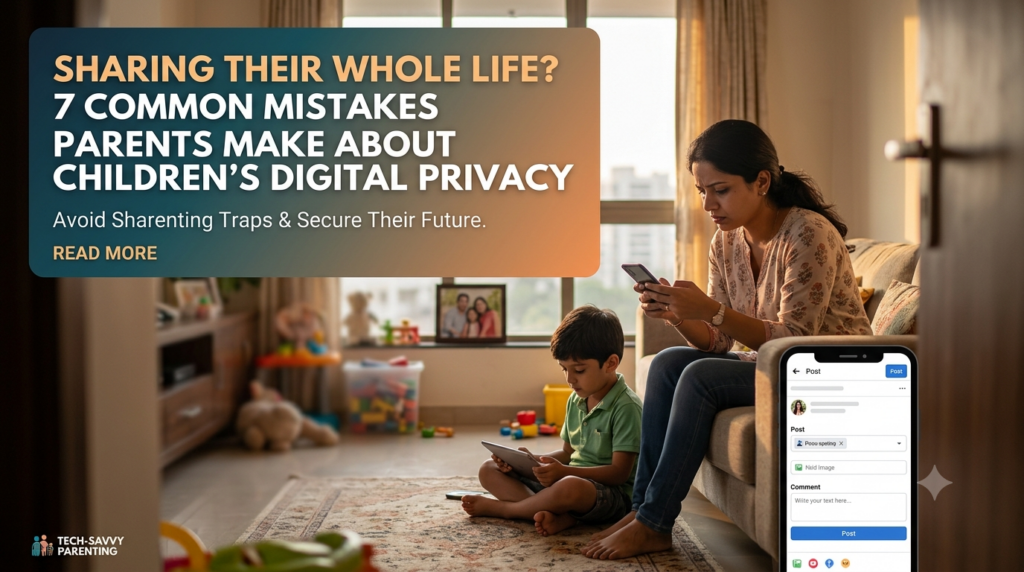
Even well-meaning parents can unintentionally make online safety more difficult.
Mistake 1: Banning everything without explaining why. A ban may reduce access temporarily, but it doesn’t teach children how to recognise a risky situation when they encounter one elsewhere.
Mistake 2: Assuming a private account guarantees safety. Followers can save, screenshot, or redistribute content.
Mistake 3: Checking devices only after a problem occurs. Regular, respectful conversations and periodic privacy checks are more useful than waiting for a crisis.
Mistake 4: Sharing children’s information publicly. Parents should also think carefully before posting school details, certificates, locations, or personal family moments.
Mistake 5: Punishing a child for asking for help. If children expect anger or humiliation, they may hide troubling messages or threats. Make it clear that their safety comes first.
Mistake 6: Unrestricted device access: Handing over smartphones or tablets without establishing screen-free zones, time limits, or clear boundaries.
Mistake 7: Mismanaging accounts: Setting up channels or profiles with fake ages or wrong privacy settings, risking account bans and data exposure.
The objective is not to monitor every move forever. It is to help children develop the judgment to protect themselves as they grow.
Digital privacy for kids means protecting children’s personal information, identity, photographs, location, online accounts, and digital activity. It also means helping them understand what information can be shared, with whom, and under what circumstances.
Start as soon as children begin using connected devices, even if they are only playing simple games or watching videos. Introduce basic rules early and increase the complexity of the discussion as they become more independent.
Children should never share passwords, OTPs, or account recovery codes. They should also avoid disclosing their home address, live location, personal contact details, identity documents, or private photographs without appropriate adult guidance.
Review profile visibility, group invitations, who can contact or add your child, photo-sharing permissions, and location settings. Explain that even trusted contacts can forward messages or screenshots. Check age requirements before allowing children to use a platform.
AI tools can support learning and creativity, but parents should check the tool’s age requirements and privacy policy. Teach children not to enter passwords, identity documents, sensitive family information, or private photographs unnecessarily. They should also understand that AI responses can be incorrect.
Tell your child not to share personal information or move into secret conversations. Block and report suspicious contact, preserve relevant evidence, and seek help if there are threats, grooming, extortion, or inappropriate requests.
No. Private settings limit who can view certain content, but approved followers may still save or redistribute it. Privacy settings should be combined with careful sharing habits and ongoing parental guidance.
As parents, we spend years teaching children how to cross the road, speak to strangers, manage money, and make responsible decisions. Digital safety deserves the same attention.
Your child doesn’t need to become a cybersecurity expert. They need to understand a few essential principles: protect personal information, question unusual requests, think before posting, respect other people’s privacy, and ask for help when something feels wrong.
Most importantly, create a home where children can admit mistakes without fear. A child who feels safe talking to a parent is more likely to seek help before a problem becomes serious.
Digital privacy for kids is not just about protecting data. It’s about building awareness, confidence, judgment, and responsible independence.
Start with one conversation today. Ask your child what they would do if an online friend requested their address, a game offered a suspicious reward, or someone asked them to keep a conversation secret. Their answers can help you identify what you need to teach next.
At SH Development Academy, we believe that guiding a child well begins with understanding the child—not just their marks, but their strengths, interests, behaviour, and individual development needs.
Santosh Hariharan, DMIT Consultant, Parent & Career Coach, and Success Mindset Coach for Students, works with parents to help them make more informed decisions about their children’s development and future direction.
If you would like to learn more about our child-development and guidance services, explore the SH Development Academy website.
You can also read feedback from families who have trusted our guidance: View Google Reviews.
For enquiries, call or WhatsApp:
Because the goal isn’t to control every choice your child makes. It’s to help them develop the understanding and confidence to make safer, wiser choices for themselves.
Success & Happiness are the two most important yet elusive things which every human being yearns to achieve in life. Real success and happiness can be savoured only when one enjoys good health and good family relations, along with a good professional career and sound financial stability.
Our Visitor


 Users Today : 27