Imagine two students studying in the same school.
Both attend classes, complete homework, prepare for examinations, and work hard to get good marks.
But there’s one difference.
The first student spends most of their free time scrolling social media, watching videos, or playing games.
The second student spends just 30 minutes every day learning something beyond the school syllabus. They are exploring graphic design, improving their writing, or experimenting with coding.
Now imagine where both students could be after one year.
One has primarily gained academic knowledge. The other has academic knowledge plus a practical skill, a collection of projects, and the confidence to create something independently.
This is the power of the Side Skill Strategy for Students.
In today’s rapidly changing world, getting good marks is important, but students also need opportunities to develop practical abilities, creativity, communication, and problem-solving skills.
With AI tools changing how people work, learn, and create in 2026, students have more opportunities than ever to explore skills outside traditional classrooms.
But here’s something important: we’re not suggesting that students should ignore academics, spend hours learning random skills, or start worrying about earning money at an early age.
The idea is much simpler.
Choose ONE useful skill. Practise it consistently. Build something with it. Let that skill grow with you.
In this guide, we’ll explore what the side skill strategy means, why it matters, which skills students should consider, and how parents can help their children build a valuable skill without disturbing their studies.

Rather than focusing only on individual technical skills, students should develop capabilities that help them work effectively with technology.
These capabilities complement technical skills and help students remain adaptable as technology evolves.
Don’t ask your child:
“Which skill should you learn so that you can get a job in the future?”
Ask something more meaningful:
“What would you enjoy learning, creating, or solving even if nobody forced you to do it?”
Let your child explore one skill for 90 days.
Encourage them to create something independently, use AI intelligently, and explain what they have learned.
Don’t measure progress only through certificates or money earned.
Measure it through their ability to think, create, improve, and solve problems.
Because the objective isn’t to raise children who can compete with AI. It’s to raise children who know how to think, create, make decisions, and use AI intelligently.
That’s the side skill strategy I would recommend for students.
A side skill is an additional practical skill that a student develops alongside their regular education.
It could be anything from creative writing and graphic design to coding, video editing, public speaking, photography, or digital marketing.
The word side doesn’t mean the skill is unimportant. It simply means that the student develops it alongside their primary academic responsibilities.
For example:
The idea is to develop an ability that can become increasingly valuable with practice.
Let’s understand this with a simple example.
Suppose a student spends 30 minutes every day learning graphic design.
Notice something?
The student isn’t just learning how to use a design tool. They are developing creativity, patience, problem-solving, attention to detail, and the ability to turn an idea into something tangible.
That’s what makes a skill compound.
Your first project may be average. Your tenth project will probably be better. Your fiftieth project can demonstrate how much you’ve grown.
The real value comes from consistent practice, feedback, and improvement.

Let’s be honest. The world students are preparing for today is very different from the world their parents entered when they started their careers.
Earlier, a conventional educational qualification was often considered the primary foundation for career success.
Today, employers and industries increasingly value a combination of academic knowledge, practical skills, digital fluency, communication, adaptability, and problem-solving.
According to the India Skills Report 2026, AI and automation literacy, digital fluency, critical thinking, business communication, and problem-solving are becoming important capabilities across professional disciplines.
The changing education landscape in India also reflects this shift.
For the 2026–27 academic year, CBSE and NCERT have introduced a Computational Thinking and Artificial Intelligence curriculum for Classes III to VIII, emphasising logical reasoning, pattern recognition, algorithm design, data literacy, and responsible AI use.
What does this mean for students?
It means that learning should not stop at remembering information or completing textbook exercises.
Students should also get opportunities to:
A side skill provides a practical way to develop these abilities.
Imagine a student who struggles to score well in mathematics but creates beautiful digital illustrations.
Or a student who isn’t particularly interested in science but can write excellent stories.
In a traditional academic environment, these students may sometimes feel that they aren’t good enough.
But when they start developing a practical skill, they get another opportunity to experience progress.
They create something. They receive feedback. They improve. Eventually, they become proud of their work.
This experience can help build confidence.
A child’s confidence should not depend entirely on the marksheet.
Parents must give children opportunities to recognise their abilities outside the classroom, too.
Textbook learning often provides students with a defined problem and a method to solve it.
Practical skill development introduces a different experience.
For example, when a student designs a poster, they must decide:
Similarly, coding teaches students to break larger problems into smaller steps, identify errors, and find solutions.
Writing teaches them to organise thoughts and communicate ideas logically.
These experiences encourage students to think rather than simply memorise.
One of the biggest gaps in conventional education is that students sometimes reach college without understanding how their knowledge connects with practical work.
A side skill can help bridge this gap.
For example:
| Skill | Possible real-world applications |
|---|---|
| Writing | Blogging, content creation, copywriting |
| Graphic design | Social media creatives, branding, visual communication |
| Coding | Websites, software, automation, app development |
| Video editing | Content production, filmmaking, digital media |
| Public speaking | Presentations, teaching, leadership |
| Data analysis | Research, business insights, reporting |
This doesn’t mean every student should immediately start freelancing or earning money.
The first objective should be learning, experimentation, and building competence.
Opportunities can come later.
A student may say, “I want to become a designer,” but have very little understanding of what designers actually do.
Similarly, someone interested in computer science may enjoy technology but may not know whether they enjoy programming.
A side skill gives students an opportunity to test their interests through practical experience.
They can discover:
This is valuable because career decisions become more informed when students have some practical exposure rather than relying entirely on assumptions.
One of the most valuable habits a student can develop is the ability to learn something independently.
Today, students have access to online tutorials, educational platforms, free resources, AI tools, and communities where they can explore almost any subject.
But access to information alone doesn’t create learning.
Students must learn to:
This ability to learn, unlearn, and relearn will remain valuable throughout their careers.
AI tools can now assist with writing, designing, coding, research, and many other activities.
Some students may wonder:
“If AI can do all these things, why should I learn them?”
That’s an important question.
The answer is that students need to understand the underlying skill rather than become dependent on the tool.
For example, AI can generate a piece of writing, but students still need to understand whether the information is accurate, whether the argument makes sense, and whether the writing communicates the intended message.
AI can generate code, but students need enough programming knowledge to understand, test, debug, and improve the output.
The OECD’s Digital Education Outlook 2026 highlights both the educational opportunities and risks of generative AI, emphasising the continued importance of reasoning, critical thinking, creativity, and sound judgement.
Don’t teach your child to compete with AI at producing output. Teach them to develop the thinking and judgement needed to use AI intelligently.
Now comes the practical question.
If a student wants to develop one additional skill, where should they begin?
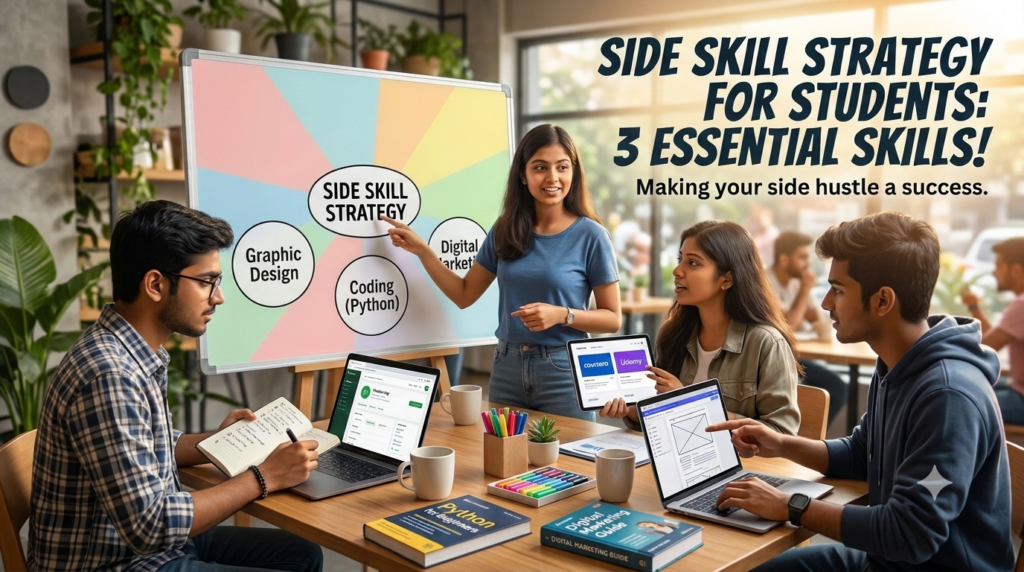
There are hundreds of options, but let’s focus on three versatile skills that offer different learning experiences and can be explored by students with different interests.
You might think writing is only useful for students who want to become authors, journalists, or English teachers.
That’s a limited way of looking at it.
Writing is a communication skill that can benefit students across almost every profession.
An engineer needs to explain technical ideas. A doctor needs to communicate clearly with patients. An entrepreneur needs to present ideas. A researcher needs to document findings.
Good writing helps organise thinking.
What can students learn in writing?
Tools and resources students can explore:
How can a student start?
A student doesn’t need an expensive course to begin.
Try this simple exercise:
Repeat this process regularly.
A simple student project: Start a personal blog or create a collection of five articles about topics you enjoy, such as technology, sports, science, books, or travel.
Over time, this collection can become your first writing portfolio.
Do you have a child who loves colours, drawing, photography, decorating notebooks, or creating visually attractive presentations?
Graphic design could be worth exploring.
Design is not simply about making something look beautiful.
It is about communicating a message visually.
A good designer understands how to combine colours, typography, images, spacing, and layouts to communicate an idea effectively.
What can students learn in graphic design?
Tools students can explore:
How can a student start?
Begin with a simple challenge.
Create one poster every week.
For example:
After one month, compare the first design with the last one.
The improvement can be surprisingly motivating.
A simple student project: Build a portfolio of 10 original designs around topics you enjoy.
Remember, the objective isn’t to become a professional designer immediately. It is to develop creative thinking, visual communication, and practical digital skills.
Coding is often associated with engineering students, but its basic concepts can be explored by younger learners, too.
At its core, coding is about giving instructions to a computer to perform a task.
Students learn how to break problems into logical steps and develop solutions.
What can students learn in coding?
Beginner-friendly tools and platforms:
How can a student start?
Start with something simple rather than immediately attempting to build a complicated application.
For example:
The process of finding errors and correcting them is an important part of learning.
A simple student project: Build a personal website that introduces you, showcases your interests, and displays the projects you’ve completed.
One important reminder: coding is not about memorising programming languages. It is about developing logical thinking and learning how to solve problems.
This is where many students and parents make a mistake.
They see someone earning money through graphic design and immediately enrol their child in a design course.
They hear that coding has a promising future and assume every child should learn programming.
But here’s the thing:
A skill that is valuable for one student may become a burden for another if it doesn’t match their interests, motivation, or learning preferences.
Instead of following trends blindly, students should consider three important factors.
Ask your child:
Interest doesn’t mean the child must already be good at something.
It simply means they are curious enough to explore it.
Some students enjoy expressing themselves through words.
Others are attracted to visual creativity, while some enjoy understanding how things work.
Observe what your child naturally spends time doing.
For example:
| What you observe | Skills worth exploring |
|---|---|
| Loves storytelling and reading | Writing, blogging, scriptwriting |
| Enjoys drawing and colours | Graphic design, illustration |
| Loves puzzles and logical games | Coding, programming |
| Enjoys explaining concepts | Public speaking, teaching |
| Likes making videos | Video editing, filmmaking |
| Enjoys organising information | Research, data analysis |
These are starting points for exploration, not fixed career labels.
A good side skill should offer opportunities to create something tangible.
For example:
Ask one simple question:
After learning this skill for three months, what will my child be able to create independently?
If you can answer that question, you have a practical learning direction.
This is probably the biggest concern for Indian parents.
Between school, tuition, homework, examinations, and extracurricular activities, where will the time come from?
My recommendation is simple:
Start with 20–30 minutes a day, three to five days a week.
You don’t need to sacrifice academic preparation to develop an additional skill.
Here’s an example of a manageable weekly schedule:
| Day | Activity | Time |
|---|---|---|
| Monday | Learn a new concept | 30 min |
| Tuesday | Practise the concept | 30 min |
| Wednesday | Regular academics/rest | — |
| Thursday | Work on a small project | 30 min |
| Friday | Practise and improve | 30 min |
| Saturday | Complete a project | 45 min |
| Sunday | Review progress | 15 min |
This is an illustrative schedule. Adjust it according to the student’s school workload, age, sleep, and examination timetable.
The important thing is consistency, not the number of hours.
A student who practises thoughtfully for 30 minutes regularly may make more meaningful progress than someone who spends five hours learning randomly once a week.
Students can divide their practice time into three parts:
This simple structure helps students move from passive watching to active learning.
Watching 20 YouTube tutorials without creating anything is not the same as developing a skill.
Remember: Learning happens when information turns into action.
If you want to turn this idea into a practical routine, follow this simple three-month roadmap.
Goal: Understand the basics
Expected progress: The student understands the fundamentals and can complete simple exercises.
Goal: Apply the learning
Expected progress: The student starts creating independent work rather than only following tutorials.
Goal: Create evidence of progress
Expected progress: The student has a small collection of projects and a clearer idea of whether they enjoy this skill.
At the end of 90 days, ask your child:
If the answer is yes, continue.
If not, exploring another skill is perfectly fine. The purpose is discovery, not forcing a child to stick with something they don’t enjoy.
Parents have a significant influence on how children discover and develop their abilities.
But there is a difference between supporting a child’s development and managing every minute of their life.
The goal is to become a facilitator, not another source of pressure.
Just because coding, AI, or digital marketing is popular doesn’t mean your child must learn it.
First understand their interests.
A child who enjoys writing may develop excellent communication skills. Another who enjoys drawing may discover a passion for design.
Give them room to explore.
Parents sometimes focus too much on certificates.
A child may complete five online courses but still struggle to create something independently.
Instead of asking, “Which certificate did you get?”, ask:
“What did you create using what you learned?”
A practical project often gives a better picture of the student’s progress than a certificate alone.
Your neighbour’s child may already be learning Python.
Your friend’s daughter may be creating social media designs.
That doesn’t mean your child is falling behind.
Children develop at different speeds and have different interests.
Comparison can turn an enjoyable learning experience into unnecessary pressure.
If your child has improved their writing, completed a design, or solved a difficult coding problem, acknowledge the effort.
Instead of saying, “This is perfect,” try saying:
“I can see how much you’ve improved since your first attempt.”
This encourages a growth-oriented attitude.
A side skill should complement education, not replace it.
Make sure your child still has enough time for:
Especially for younger children, exploration should feel enjoyable rather than like another compulsory tuition class.
One advantage today’s students have is access to AI-powered learning tools.
Used thoughtfully, these tools can act as learning assistants.
Here are some examples:
| Skill | How AI can assist |
|---|---|
| Writing | Brainstorming ideas, grammar feedback, editing suggestions |
| Graphic design | Generating creative concepts and exploring layouts |
| Coding | Explaining programming concepts and debugging guidance |
| Research | Organising information and suggesting research questions |
| Video editing | Storyboarding, scripting and content planning |
However, parents should establish a few ground rules.
For example, if a student is learning to write, they should write the first draft themselves before asking AI for feedback.
If they are learning coding, they should try solving the problem before asking AI to generate the solution.
AI should support the student’s thinking, not replace it.
Even with the right intention, students often lose momentum.
Here are some mistakes worth avoiding.
One week it’s coding, the next week it’s video editing, and then suddenly it’s digital marketing.
The result? A little knowledge of everything but very little practical ability.
Solution: Choose one primary skill and give it a genuine 90-day trial.
Watching someone design a poster doesn’t mean you know how to design one.
Watching a coding tutorial doesn’t mean you can build an application independently.
Solution: Follow the 70:30 principle as a practical starting point: spend more time applying what you learn than passively consuming tutorials.
Students sometimes lose motivation when they don’t see improvement within a few days.
But meaningful skills take time.
Solution: Track small improvements instead of expecting overnight mastery.
Earning money can be a future possibility, but it shouldn’t be the only reason for choosing a skill.
Solution: Prioritise curiosity, interest, learning, and competence before monetisation.
A side skill should not become an excuse to avoid school responsibilities.
Solution: Build a realistic schedule that gives academics the priority they need while leaving room for skill development.
There is no single perfect age.
Children can explore different abilities through age-appropriate activities as they grow.
| Age group | Recommended approach |
|---|---|
| 6–9 years | Drawing, storytelling, puzzles, basic digital creativity |
| 10–12 years | Creative writing, beginner design, Scratch coding, presentations |
| 13–15 years | Writing projects, graphic design, beginner Python, video editing |
| 16–18 years | Portfolio building, advanced design, programming, research, communication |
| College students | Specialised skills, internships, practical projects and professional portfolios |
For younger children, the focus should be exploration and enjoyment.
For teenagers, students can gradually move towards structured learning and independent projects.
For college students, side skills can become part of a broader career-development strategy.
There is no need to rush. The right learning experience matters more than starting at the earliest possible age.
Absolutely not.
This is an important point for parents to understand.
The side skill strategy is not about making every student a programmer, designer, or content writer.
Some students may find their interests in:
The best side skill is one that the student is interested in developing and can practise consistently.
A child who loves music shouldn’t be forced into coding simply because someone says coding has a better future.
Similarly, a student who enjoys building things should be given opportunities to explore technology and practical problem-solving.
The objective is not to create identical students with identical skill sets. It is to help each student discover and develop their individual potential.
A side skill is an additional practical ability that students develop alongside their regular education. Examples include writing, graphic design, coding, video editing, public speaking, photography, and digital marketing.
Some useful options include:
The right choice depends on the student’s interests, abilities, and opportunities to practise.
Yes, some students may eventually earn through writing, design, coding, or other practical skills. However, the priority should be learning, developing competence, and building a portfolio. Any paid work should be age-appropriate, legally compliant, safe, and should not interfere with academics.
Starting with 20–30 minutes per day, three to five days a week, is a reasonable approach for many students. The schedule should be adjusted according to age, academic workload, sleep, and extracurricular activities.
No. Coding is useful for students interested in technology, logic, and problem-solving, but it isn’t compulsory for everyone. Writing, communication, design, creativity, entrepreneurship, and other skills can also be valuable.
Parents should observe their child’s interests, natural preferences, hobbies, and willingness to practise. Give them opportunities to explore different activities and notice where curiosity and sustained interest develop.
Career guidance and suitable aptitude assessments can also contribute to a broader understanding of a student’s interests and abilities.
AI can automate or assist with many tasks, but students still need subject knowledge, critical thinking, creativity, communication, and the ability to evaluate AI-generated results. Learning how to use AI responsibly while understanding the underlying skill is a better approach than depending entirely on AI.
Choose one skill, identify beginner-friendly resources, practise consistently, complete small projects, seek feedback, and gradually build a portfolio. A 90-day learning plan is a useful starting point.
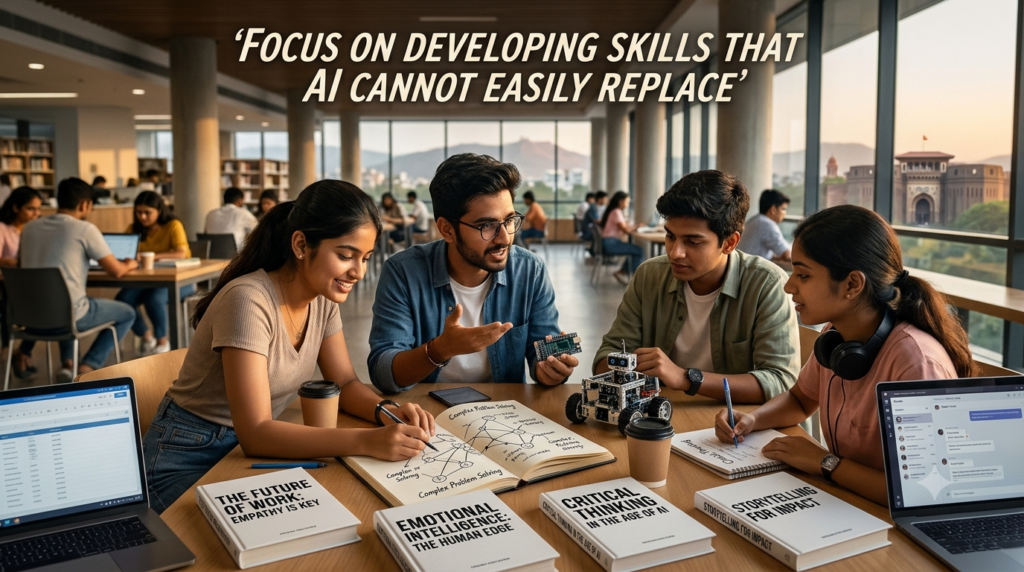
Imagine a student asks ChatGPT to write a blog.
Within seconds, AI generates an article.
Does that mean the student no longer needs to learn writing?
Not really.
The student who understands writing can:
AI can generate words, but the student needs the judgement to decide whether those words are worth publishing.
The same applies to other skills.
AI can write emails, articles, captions, stories, and reports.
But students who understand writing can use AI more intelligently.
They know how to ask better questions, structure ideas, identify mistakes, and communicate their own perspectives.
The future isn’t necessarily about competing with AI to write faster. It’s about becoming someone who knows what deserves to be written.
AI can generate impressive images and design concepts.
But a designer still needs to understand:
Generating an image and creating an effective communication strategy are two different things.
Students who understand design principles can use AI as a creative assistant rather than depending on it blindly.
AI can generate code, explain programming concepts, and help debug errors.
But students still need to understand:
Without understanding programming fundamentals, students may struggle to identify whether AI-generated code is actually working correctly.
Knowing how to use a tool is useful. Understanding what the tool is doing is far more powerful.
I would actually modify our earlier side skill strategy.
Instead of telling students to learn only writing, design, or coding, I would recommend:
| Traditional skill | AI-assisted skill |
|---|---|
| Writing | Writing + AI research and editing |
| Graphic design | Design + AI creative tools |
| Coding | Programming + AI-assisted development |
| Video editing | Editing + AI production tools |
| Research | Research + AI-supported analysis |
This is where the real opportunity lies.
Students should learn the fundamentals first, use AI to improve their productivity, and develop the judgement to evaluate the results.
As parents, we naturally want our children to score well, get admission into good colleges, and build successful careers.
And there’s nothing wrong with that.
But we must also ask ourselves:
Are we giving our children enough opportunities to discover what they can actually do?
A marksheet can tell you how a student performed in an examination. But it doesn’t capture every creative idea, practical ability, personal interest, or problem-solving experience.
A child who learns to write develops communication.
A child who explores design develops visual thinking.
A child who learns coding develops opportunities to practise logical problem-solving.
And a child who consistently works on something they enjoy learns patience, discipline, and the value of improvement.
That’s the real purpose of the side skill strategy.
You don’t have to push your child into learning everything. You don’t have to enrol them in five different courses.
Start with one skill.
Give them time.
Let them experiment.
Encourage them to create something.
And most importantly, allow them to enjoy the process of discovering their own abilities.
Because the goal isn’t just to help your child become a good student. It’s to help them become a capable, confident, curious, and independent individual.
One question I often encourage parents to think about is:
Are we choosing activities and skills based on our child’s actual interests and strengths, or are we simply following what other parents are doing?
Every child has a different combination of interests, abilities, motivations, and aspirations.
Some children enjoy analytical challenges. Others are naturally drawn towards creative activities, communication, technology, or hands-on experiences.
The first step is to understand the child rather than blindly choosing a trending skill or career.
At SH Development Academy, we believe that better career and educational decisions begin with better self-understanding.
Through our DMIT services and personalised career guidance, Santosh Hariharan — DMIT Consultant, Parent & Career Coach, and Success Mindset Coach for Students — helps parents and students explore individual strengths, interests, and possible development pathways.
With 30+ years of corporate experience in Sales, Training and HR, and over five years of independent counselling experience, Santosh brings practical experience to conversations around parenting, student development, and career direction.
If you’re a parent wondering:
We would be happy to help you explore these questions.
Explore DMIT and personalised guidance services at SH Development Academy.
Learn more about DMIT and our services:
https://shdevelopmentacademy.lovable.app
Have questions? Connect with us:
Phone: +91 8421315400
Phone: +91 7303290862
⭐ Trusted by 400+ parents and families
Click here to read our Google reviews
Success & Happiness are the two most important yet elusive things which every human being yearns to achieve in life. Real success and happiness can be savoured only when one enjoys good health and good family relations, along with a good professional career and sound financial stability.
Our Visitor


 Users Today : 9